•
IT Services
•
Automate Accounts Receivable
March 12, 2025
Choosing the Right Payment Portal for MSPs: The Anatomy of One That Works

An MSP payment portal is where clients see what they owe, pay it, and manage how they pay you. A good payment portal for MSPs does two jobs at once. It feels simple to clients, and it stays connected to your PSA and accounting software so your team never re-keys a payment.
Many portals manage only the first job, and some manage neither. They’re workarounds an MSP inherited, like a processor’s generic checkout page, a payment link pasted into an email, or a PSA add-on nobody would design from scratch.
This guide is for MSP owners and finance leads choosing a portal or replacing one. It breaks a working portal into parts, front and back, then shows how to evaluate one before you switch.
Why the portal matters for every MSP payment
Clients already pay most bills electronically. The Federal Reserve’s 2025 payments study found that cards were used most often, “accounting for over three quarters of payments by number” in 2024.
Business payments are moving the same way. Nacha reported that third-quarter 2026 B2B payments on the ACH Network reached “an eye-opening $17.8 trillion” in value. Nacha also cited a 2026 Datos Insights survey in which “32% expected paper check usage to decrease.”
If your clients pay everyone else online, a clunky portal stands out.
It’s also the one client touchpoint you control every month, and how clients perceive it shapes how they see your MSP.
A professional payment experience tells clients you're professional, organized, and you know what you're doing, while a confusing one invites client questions, late payments, and doubt.
Signs your portal is a workaround
Before you compare options, check what you have now. These are the usual signs of a portal that grew by accident:
- Invoices go out as static files attached to emails, and clients pay through a separate link.
- Clients can’t see their history, so they ask by email, and the back-and-forth emails eat away at your team’s day.
- Payments are received in standalone payment tools, and someone does manual matching against your PSA.
- The checkout page shows the processor’s name instead of your MSP’s brand.
- Your tech stack has multiple systems, and each is responsible for a different part of your billing cycle.
Generic tools weren’t specifically designed for managed services. MSP billing runs on agreements, seat counts, and recurring charges, and a portal that ignores them leaves your team manually filling in the gaps.
A payment portal should bridge all of your IT billing complexity and the client experience. Clients should see a simple bill, while your systems handle everything else.
The customer portal: what clients should see
Start with the experience from your client’s perspective. Here are the essential features of a working customer portal.
A client portal sign-in without passwords
When clients log in to the Alternative Payments portal, they enter their email and a one-time code. Nobody has to remember their password, and first-time clients only need to add basic business details once.
Invoices they can find
Clients should see outstanding invoices and payment history, and be able to download invoice PDFs and receipts without needing to email your team. Invoices should show itemized line items, including project work, so clients can see exactly what they’re paying for.
Self-service matters a lot because every question a client can answer on their own is one less support ticket you need to deal with.
Flexible ways to pay
Offering multiple payment methods lets your clients pay one invoice, several at once, or part of one, by ACH, card, or bank payment in Canada.
U.S.-based businesses can choose to pay in installments for larger invoices, with terms of 30 to 150 days after a brief underwriting review. For a wider look at structuring larger deals, see our guide to modern financing options.
Clients can also schedule a payment for any date up to the due date.
Check that the portal is responsive on a phone, too, since plenty of clients pay on the go.
Auto-Pay they understand
Auto-Pay handles recurring billing without anyone clicking Pay. If you allow it, clients can enroll themselves from the portal directly.
If you’d rather control enrollment, you can switch that off. Clients then see their rules and conditions and a message telling them to contact you, all branded with your company name on it.
Saved payment methods
Clients can add and remove saved cards and bank accounts, so they can update a payment method without contacting support. The default method is the one Auto-Pay uses, so clients always know which account a charge will hit.
One login for several accounts
Larger clients with several entities or locations often manage more than one account with you, so they can use a single login and switch between accounts without signing out.
Confirmations and a way to get help
Clients receive a payment confirmation email unless they turn notifications off. A help page shows your support email and phone number, so questions come to you instead of a processor’s help desk.
The back office: payment tools your team needs
A beautiful portal that doesn’t talk to your other payment tools just moves the manual effort somewhere else. That's not helpful at all. MSP operations need a portal that can reduce administrative workload, not just shuffle it around.
Invoices in, status out
Invoice creation stays in your PSA. From there, invoices flow into the portal with line items, and payment status goes back to the PSA automatically.
Alternative Payments connects with ConnectWise, Autotask, HaloPSA, and SuperOps. A customizable payment portal should integrate with PSA tools like ConnectWise and Autotask, not sit beside them. Our guide to MSP payment automation covers how each PSA syncs.
Less manual reconciliation
Each payment should show up in your accounting software against the right invoice. With an accounting integration connected, Alternative Payments reconciles each payment and marks the invoice paid in your books.
Payouts arrive as deposits with a transaction ID that appears in your dashboard, the payout report, and your bank statement. That’s how easy it is to track payments from portal to bank.
Automated invoicing follow-up and Auto-Pay rules
Invoices come from your PSA, so the portal’s job is to automate invoice delivery and follow-up. Auto-Pay rules can key off due dates, amounts, invoice or agreement types, customer tags, and ConnectWise billing terms. Charges run in a nightly cycle.
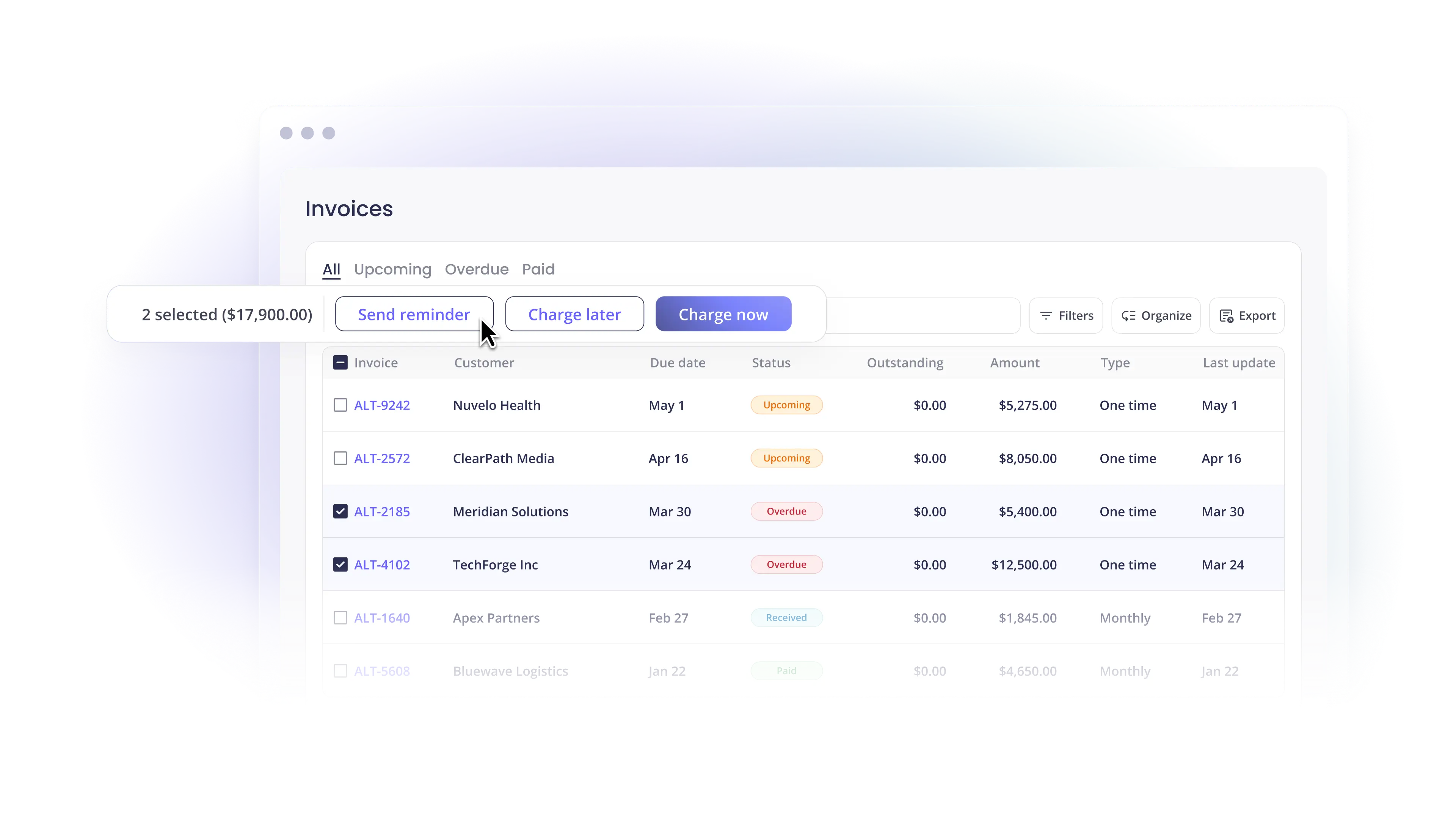
Automated reminders cover upcoming and overdue invoices, and you can edit the templates. Together, they eliminate manual work like chasing each client for payment, and they also fit your existing billing workflows.
For seriously overdue accounts, Collections Assist takes care of invoices more than 30 days overdue and sends them to a third-party team. Fees are based on successful collection.
When a card expires, or a bank payment fails, Alti’s Failed Payment Recovery Agent can stop Auto-Pay from re-charging that method and ask the client to update it, with your approval each step of the way.
Card fees and surcharging in Alternative Payments
You decide who pays card fees. In Alternative Payments, passing card fees to clients is on by default as a separately listed surcharge, and you can absorb fees for everyone or for selected clients. Passing fees through can nudge clients towards using ACH for payments.
Surcharges follow state and provincial rules based on the client’s billing address. Debit card fees can’t be passed through to clients. Before you add a fee, check whether you can legally charge a card fee.
Payouts on a schedule you can plan around
Standard payouts arrive in three business days for both ACH and card. Accelerated payouts arrive the next day or in two business days, which helps when payroll and vendor bills don’t wait.
Real-time payment visibility
You should see every payment as it happens. Real-time payment visibility means your cash flow forecast works from real numbers, and you can step in on aging receivables before they slide further.
When a client says the portal looks wrong, your team can use Impersonate Customer to view the same screen the client sees.
Branding builds client trust
A payment portal for MSPs should look like your MSP. Clients are wary of strange payment pages, and for good reason. A branded portal does more than look nice. When the logo, brand color, and custom domain reflect your MSP’s identity, clients recognize the page and pay with less hesitation.
Alternative Payments lets you add your logo and brand color, and you can use your own domain, like pay.yourcompany.com. Keeping the whole client-facing experience in a branded environment also reduces friction, because nothing about the page feels off or scammy.
Our article on a customizable MSP payment portal covers configuration options. For why it matters commercially, read about your payment experience as a competitive advantage.
What a portal can and can’t fix for service businesses
Portals don’t solve every late payment. In its 2026 survey of North American businesses, Atradius found that most suppliers attribute delays “primarily to customer liquidity constraints rather than disputes or administrative errors.”
Trade credit is common too. Atradius put Canada at around half of B2B sales on deferred terms, “followed by the United States at 45%.”
So a portal won’t make a cash-strapped client solvent. What it can do is remove every reason to wait that isn’t about cash: a missing invoice, a lost link, or a payment method that doesn’t work.
It can also give cash-strapped clients a way to pay something now, through partial payments, scheduling, or installments. Atradius found that “Early payment incentives also play a key role in encouraging faster settlement,” so some MSPs pair the portal with an incentive for paying early.
How to choose the right payment portal for your MSP payment processing
Client experience: Sign in as a test client. Count the clicks from email to paid, and check that clients can find invoices, receipts, and Auto-Pay without help.
System complexity and operational efficiency: Every extra vendor in your payment stack adds a login, a contract, and a failure point. Ask how many companies are involved in processing, the portal, and the gateway, and how much administrative workload each one adds.
Processing costs: Ask for transparent pricing that covers platform fees, card and ACH processing, and payout speed. Then decide whether you’ll pass card fees to clients or absorb them.
PSA integration: Look for native, two-way sync with your PSA, including line items and PDFs where your PSA supports them. Ask what happens when an invoice changes after it syncs.
Accounting automation: Have the vendor walk through a real deposit in your books, with fees and a refund. Alternative Payments works with QuickBooks Online, QuickBooks Desktop, Xero, Business Central, NetSuite, Sage Intacct, Zoho Books, and FreshBooks.
Scalability: Think about where you’ll be in two years. A portal that supports more PSAs, more accounting systems, Canadian clients, and clients with several accounts will survive an acquisition or a new service line without adding administrative overhead.
Security clients can trust
Payment data deserves real controls. Alternative Payments has four user roles, and only Administrators can edit banking information. Your team and your clients can both turn on multi-factor authentication.
For card data, ask any vendor how it handles PCI requirements. Disputes are part of security too, so it helps to know the habits that go into preventing chargebacks.
Use portal data to improve MSP operations
Every payment tells you something. A client who used to pay on day two and now pays on day 40 is sending a signal, and payment behavior can predict churn months before a service complaint ticket shows up in your queue.
Alti, the financial intelligence inside Alternative Payments, answers questions about your customers, invoices, and payments from live account data. Ask “Whose on-time payment rate has slipped compared with their history?” and you get the list.
Alti asks for your approval before it charges, emails, or changes anything. It rolls out to eligible accounts, and what you can do depends on your access level.
Rolling out a new portal without confusing clients
A new portal is a change for your clients, so treat it like one. Client relationships hold up better when nobody is surprised.
- Turn off reminders, autopay, and scheduled payments in the old system first.
- Send an announcement about two weeks before go-live, using the template from onboarding.
- Put the new billing link in the invoice memo, and take the old payment options off.
- Start Auto-Pay with clients who already pay electronically, then expand.
If checks are still a big share of your receivables, the switch is a good moment to address what paper checks cost you. Our transition guide covers each phase of the payment process change.
MSP payment portal FAQ
What is a payment portal for MSPs?
It’s a branded page where an MSP’s clients view invoices, pay by ACH or card, save payment methods, and manage Auto-Pay. A good one also syncs with the PSA and accounting software, so payment collection is recorded without manual entry. Other service businesses, like accounting firms, use the same model.
Can clients pay without logging in?
For one-off charges, yes. U.S.-based partners can send one-time payment requests that clients pay without logging in. Those payments don’t sync to your PSA or accounting software, so record them on purpose.
Should clients be able to set up their own Auto-Pay?
Usually, yes. Letting clients enroll themselves removes a step for your team. If you’d rather approve each enrollment, turn the permission off and clients will see a message to contact you.
How does a portal help MSPs get paid faster?
It removes the small reasons to wait. Put the billing link on every invoice, keep reminders on a schedule, offer the methods clients already use, and make Auto-Pay easy to join.
Is MSP payment processing different from regular card processing?
The processing itself is similar. The difference is everything around it: PSA sync, agreement-based invoices, and reconciliation that fits service delivery instead of retail checkout.
See the portal your clients would use
Bring your PSA and accounting setup to a demo, and we’ll show you the portal from your client’s side and from your team’s side. Book a demo.
Sources: the Federal Reserve (July 2026), Nacha and Datos Insights (October 2026), Atradius (September 2026), and our help center.
Reviewed by Daniel Reiter, Creative Director at Alternative Payments, on October 30, 2026.
Simplify your customer payments, unlock instant cash flow
Keep reading


Dynamics 365 payment gateway: a 10-question Business Central scorecard for MSPs

Introducing Alti, Financial Intelligence Put to Work for Service Businesses